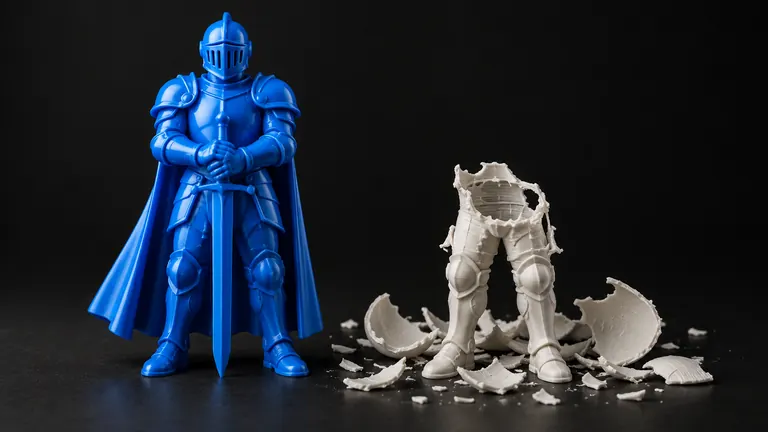
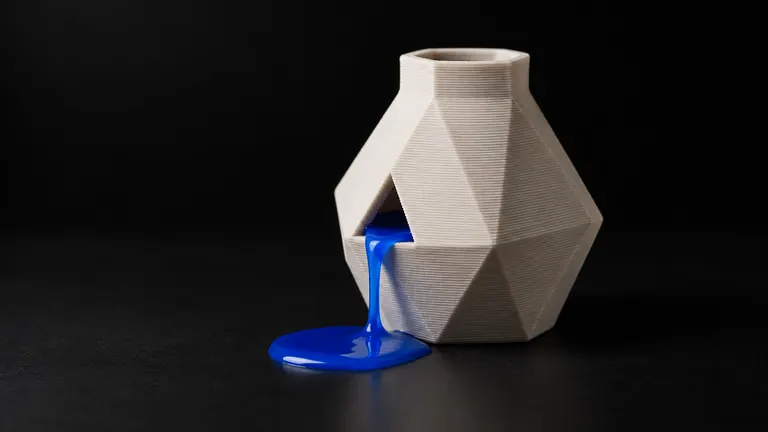
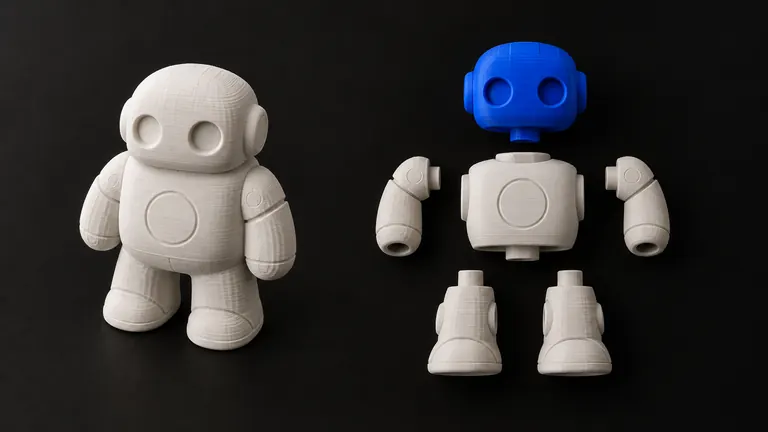
We keep a small torture set for our pipeline: a dragon with thin spikes, a mug with a real through-handle, a pair of wire-frame glasses, and a robot with floating parts. In August we ran all four photos through five image-to-3D models, exported the raw mesh, and put it through the same check a slicer runs before it warns you. No repair, no cleanup, exactly what you'd get by downloading the file.
Short version: 9 of 20 raw meshes failed a strict print check. Which ones failed was not random. Each generator architecture leaves the same kind of damage every time, so once you know the fingerprint you know what to look for before you slice.
What "failed" means here
A mesh passed only if the file on disk, reread and recounted, had zero open edges, zero non-manifold edges and vertices, zero degenerate triangles, consistent winding and positive volume, and could be rebuilt by manifold3d, a library that refuses non-manifold input by construction. That is the same bar Bambu Studio uses for its warning icon; the condition in the source is literally !manifold() || has_open_edges() || repaired() (GUI_ObjectList.cpp). What "watertight" and "manifold" mean in plain words is in what watertight actually means →.
Models tested: TripoSR (open source, 2024), TRELLIS and its higher-resolution successor TRELLIS.2, Meta's SAM 3D Objects, and Hunyuan3D 3.1 through a hosted API. Commercial apps such as Meshy or Tripo wrap models like these behind their own post-processing, so read this as a test of the engines, not the storefronts. Dataset date: 6 August 2026.
The numbers
| Generator | Architecture | Failed | Multi-shell files | Open edges, total | Non-manifold edges, total | Worst single file |
|---|---|---|---|---|---|---|
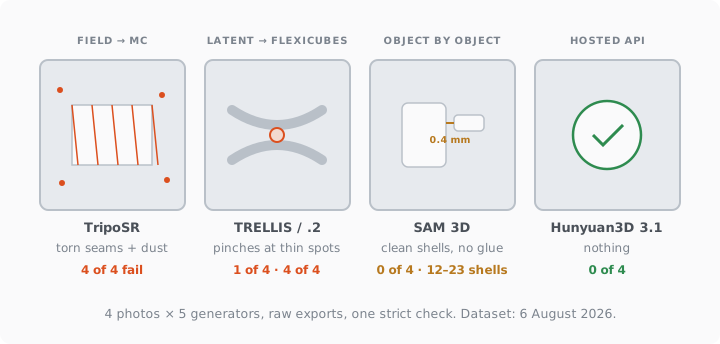
| TripoSR | triplane field → marching cubes | 4 of 4 | 4 of 4 | 1,485 | 5 | mug: 612 open edges, 93 shells |
| TRELLIS | sparse latent → SDF → FlexiCubes | 1 of 4 | 2 of 4 | 0 | 0 | glasses: 1 non-manifold vertex |
| TRELLIS.2 | same, higher resolution | 4 of 4 | 3 of 4 | 1,980 | 3,975 | robot: 3,163 non-manifold edges, 113 shells |
| SAM 3D Objects | per-object reconstruction, then assembled | 0 of 4 | 4 of 4 | 0 | 0 | robot: 23 separate shells |
| Hunyuan3D 3.1 (API) | closed pipeline | 0 of 4 | 1 of 4 | 0 | 0 | clean |
Nine failures out of twenty is 45%. Two engines produced nothing a slicer would flag, one of them by being clean and one of them by hiding a different problem entirely.
Fingerprint 1: torn seams and dust (TripoSR)
The oldest architecture stores the shape as a neural field and extracts triangles with classic marching cubes. Neighboring cells compute their shared vertex independently, and floating-point rounding puts the two copies a ten-millionth apart. Your eye sees one point; the slicer sees two, with a hairline gap between the triangles. Hundreds of those gaps become hundreds of open edges. The same noisy field also crosses the threshold in empty air here and there, so the file fills up with bubbles of garbage: the mug came with 93 shells, one of which was the mug.
This is the fingerprint that auto-repair handles best →: weld the twins, delete the dust, and the model is usually intact underneath.
Fingerprint 2: pinches where the shape is thinner than a cell (TRELLIS and TRELLIS.2)
The newer family extracts the surface with FlexiCubes, which places vertices freely inside each cell and produces far cleaner meshes. TRELLIS gave us a dragon and a mug with zero warnings, and the mug's handle was a real hole, not a dent. The one defect it produced is telling: a single non-manifold vertex on the glasses, exactly where two wires ran closer together than one grid cell. When two sheets of surface land in the same cell, the extractor has nowhere to separate them and welds them into a pinch.
TRELLIS.2 pushes resolution higher and chases finer detail, which means it plays at that boundary more often. On the robot it lost completely: 3,163 non-manifold edges and 113 shells. The lesson is uncomfortable for anyone shopping by "detail level": more ambition at the thin end produces more pinches, not fewer.
Fingerprint 3: perfect pieces, no glue (SAM 3D Objects)
SAM 3D reconstructs each segmented object on its own and places them together by predicted pose. Every shell it produced was flawless; our checker and Bambu Studio both stayed silent on all four files. And yet the files contained 12, 13, 23 shells respectively for dragon, mug and robot. Meta says so itself: the model "predicts objects one at a time and isn't trained to reason about physical interactions, such as contact or interpenetration" (Meta AI blog). Parts that touch in reality sit half a millimeter apart in the file, or touch at a single point, or overlap and leave double walls inside the body.
None of that is a mesh error, so no warning fires. It is a printing error: a limb hovering 0.4 mm off the torso falls over on layer 12. The only tell is the shell count, which is why our validator reports it as information rather than an error and why we're adding a boolean union step for exactly this class.
Fingerprint 4: nothing (Hunyuan3D 3.1)
Four clean files, one of them with three shells that were all legitimate (the glasses come apart into lenses and frame). A hosted API can afford a repair pass on its side, and this one clearly runs one. That does not mean the printed result matches the photo, which is a different axis entirely (how much a photo can be trusted →), but it does mean you will not spend the evening in a repair tool.
What we did with the failures
All twenty went through our repair pipeline and all twenty passed the same strict check afterward. Sixteen needed only the cheap steps: weld, delete degenerates, drop dust below a size threshold, fix orientation, cap holes, cut out the non-manifold faces and re-cap. Four needed the nuclear option, a full volumetric rebuild, and all four were TRELLIS.2 or the wire-frame glasses, the cases where the surface itself was ambiguous. That matches what the fingerprints predict.
If you generate through PHORM, that pass runs before you ever see the download, with a report of what changed. If your file came from somewhere else, the same pipeline takes outside STL, GLB and 3MF (repair a file →). The catalog of what each defect looks like in the slicer is in why AI models fail to print →.